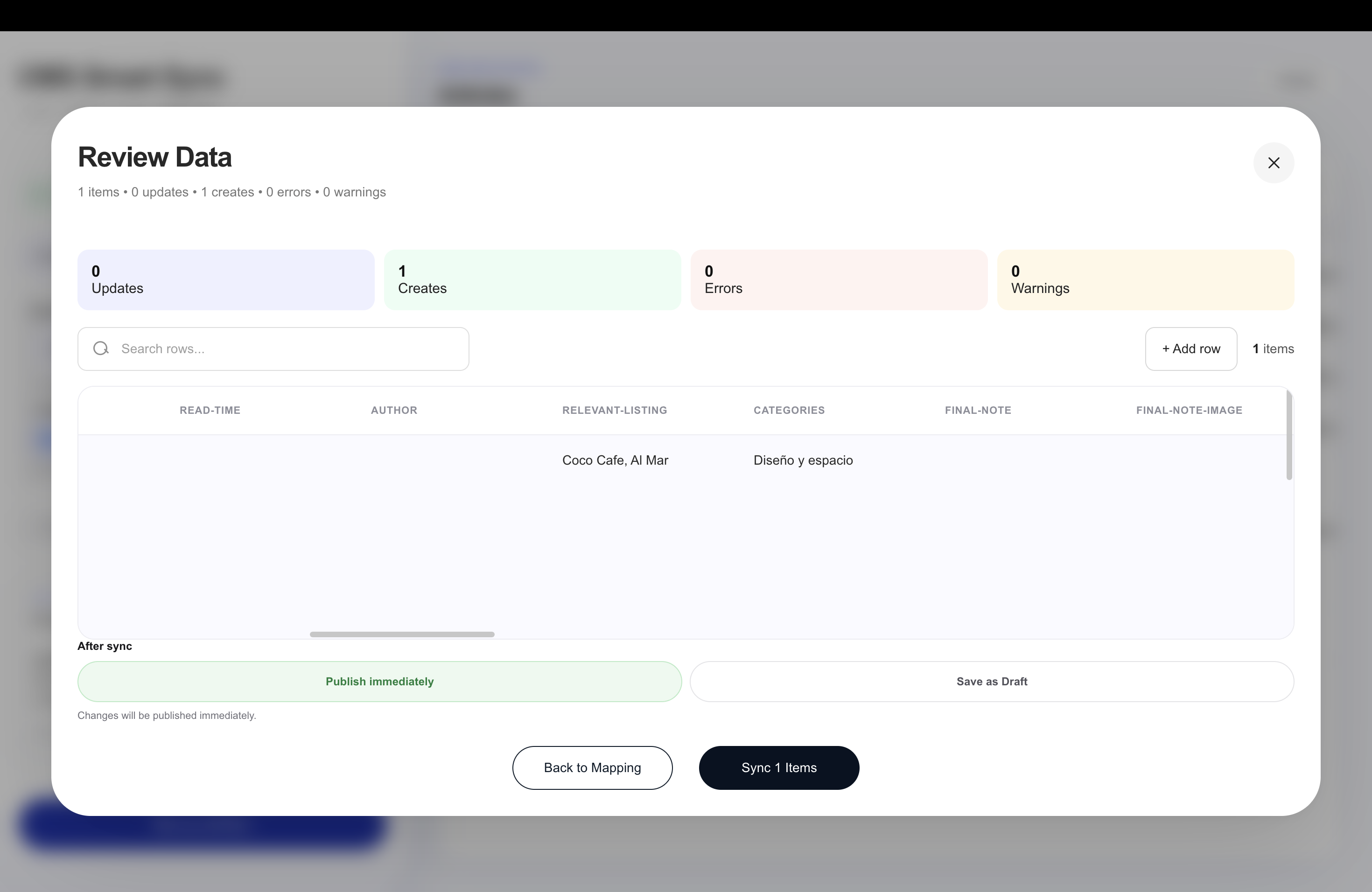
How to Import Reference and Multi-Reference Fields into Webflow CMS
The problems start when a collection contains more complex field types such as Reference fields, Multi-reference fields, Rich Text, or localized content.Type image caption here (optional)
Type image caption here (optional)

Managing this manually becomes slow very quickly, especially when you're working with hundreds of CMS items.
For example:
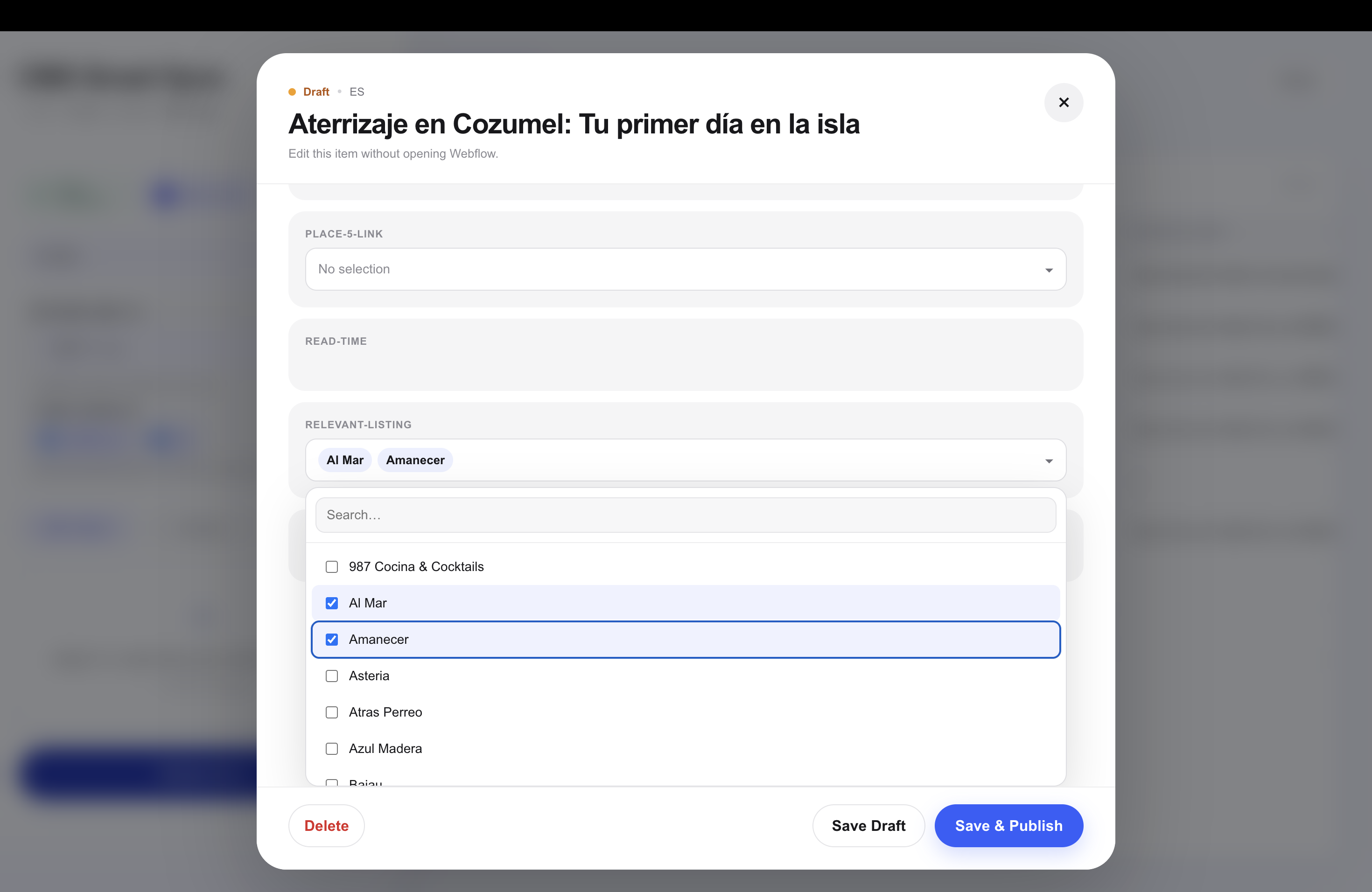
Reference fields connect one CMS item to an item in another collection.
Reference fields connect one CMS item to an item in another collection.
For example:
For example:
Article → Related Products
or
Project → Services
or
Product → Collections
This becomes particularly painful to manage manually when importing or updating large datasets.
Mapping References with Smart Sync
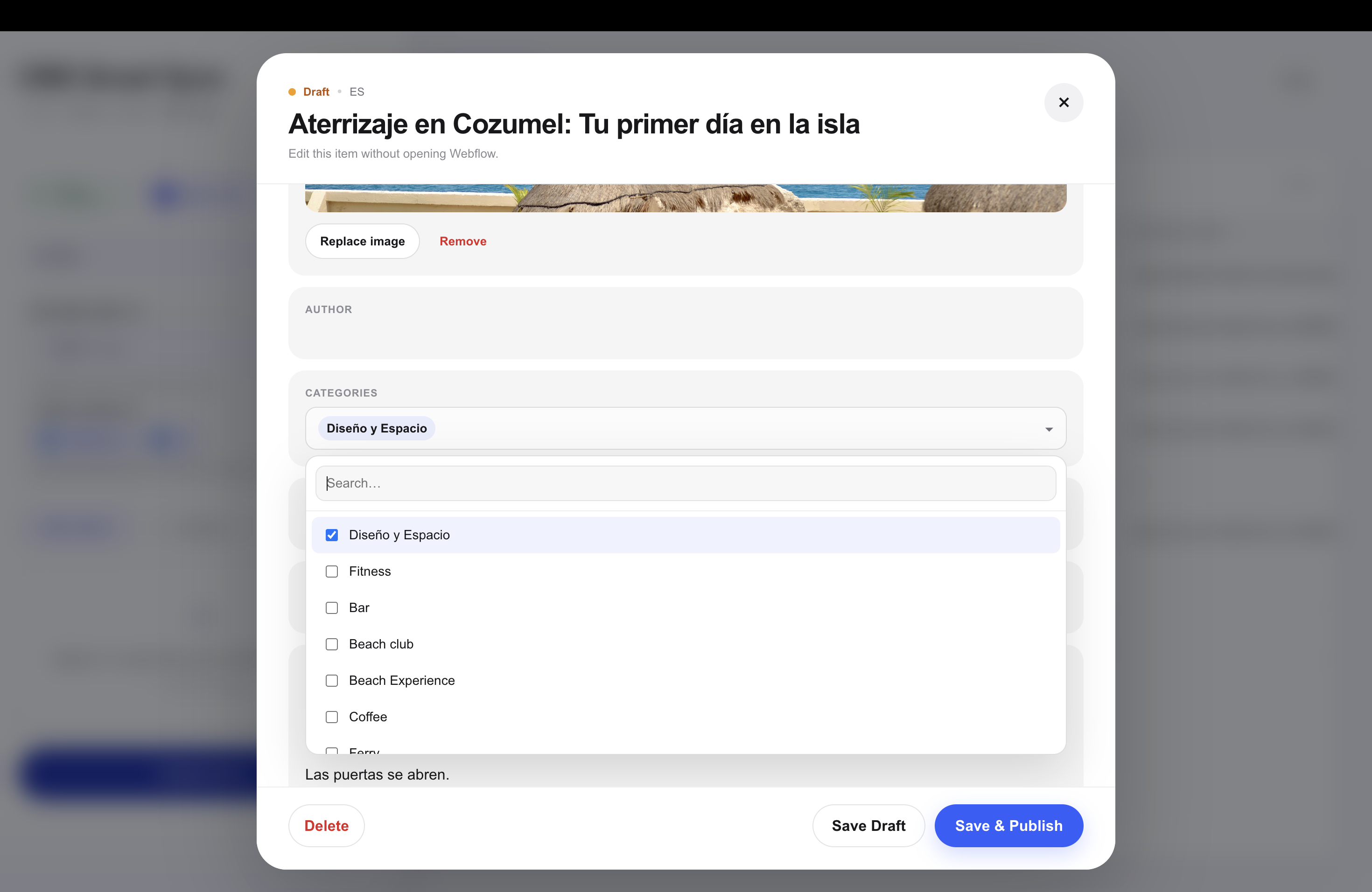
Smart Sync now supports mapping content to Webflow Reference and Multi-reference fields.
When creating or mapping a Reference field, you can choose which Webflow CMS collection it should connect to.
For example:
category → Reference → Categories
Or:
related_products → Multi-reference → Products
Smart Sync keeps the relationship instead of converting the imported data into ordinary text.
Rich Text is supported too
Not every CMS field contains a short string.
Descriptions, articles, guides, product information and other longer content often use Webflow Rich Text fields.
Smart Sync can map imported content directly to existing Rich Text fields, allowing larger datasets to be updated alongside the rest of the CMS.
Managing localized Webflow CMS content
Localization creates another layer of repetitive CMS work.
When the same collection exists across multiple locales, content may need to be created or updated separately for each locale.
Smart Sync is being built so localized CMS content can be managed from the same workflow.
Instead of repeating the entire import and update process locale by locale, you can work with the localized versions of your CMS content together.
Bulk operations without losing control
Bulk editing shouldn't mean blindly publishing hundreds of changes.
Smart Sync lets CMS items be handled as Draft or Live, so imported content can either be published immediately or reviewed before going live.
Individual CMS items can also be opened inside Smart Sync to view their field data and make smaller edits without starting another bulk import.
More than CSV
Smart Sync isn't limited to a single CSV workflow.
The goal is to make moving structured data into Webflow CMS easier regardless of how that content arrives, while preserving the field structure Webflow actually uses.
That includes complex CMS relationships instead of treating every imported column as plain text.
Smart Sync for Webflow CMS
Smart Sync is currently awaiting approval for the Webflow Marketplace.
I'm continuing to expand and test the platform before launch, including Reference and Multi-reference mapping, localization, mobile CMS management and additional CMS workflows.